The Google Business Profile Checklist Ipswich Businesses Keep Missing
Your Google Business Profile is your digital shopfront — and most Ipswich businesses are letting it collect dust. Here's what you're likely missing.

By Tunoa Johnson
When was the last time you actually looked at your Google Business Profile?
Let me tell you a quick story about a local plumber here in Ipswich. He was stressed because the phone had stopped ringing. He tried running Facebook ads, dropped flyers in letterboxes—nothing. I asked him to pull out his phone and Google "plumber [his suburb]."
We found his business profile, but here was the problem: his phone number was missing a digit, and his address was listed as his old shed from three years ago. The phone wasn't ringing because nobody could actually call him, and Google wasn't showing him to people nearby because it thought he was still on the other side of town.
We fixed those two things in five minutes. Within a week, he had three new jobs booked directly from Google Maps.
A fully optimised Google Business Profile can increase your chances of getting directions clicks by 70% and website clicks by 100%. It is the foundation of local SEO.
Your Google Business Profile is your digital shopfront—and most local businesses are letting it collect dust. Here's a comprehensive checklist to make sure you aren't leaving money on the table.
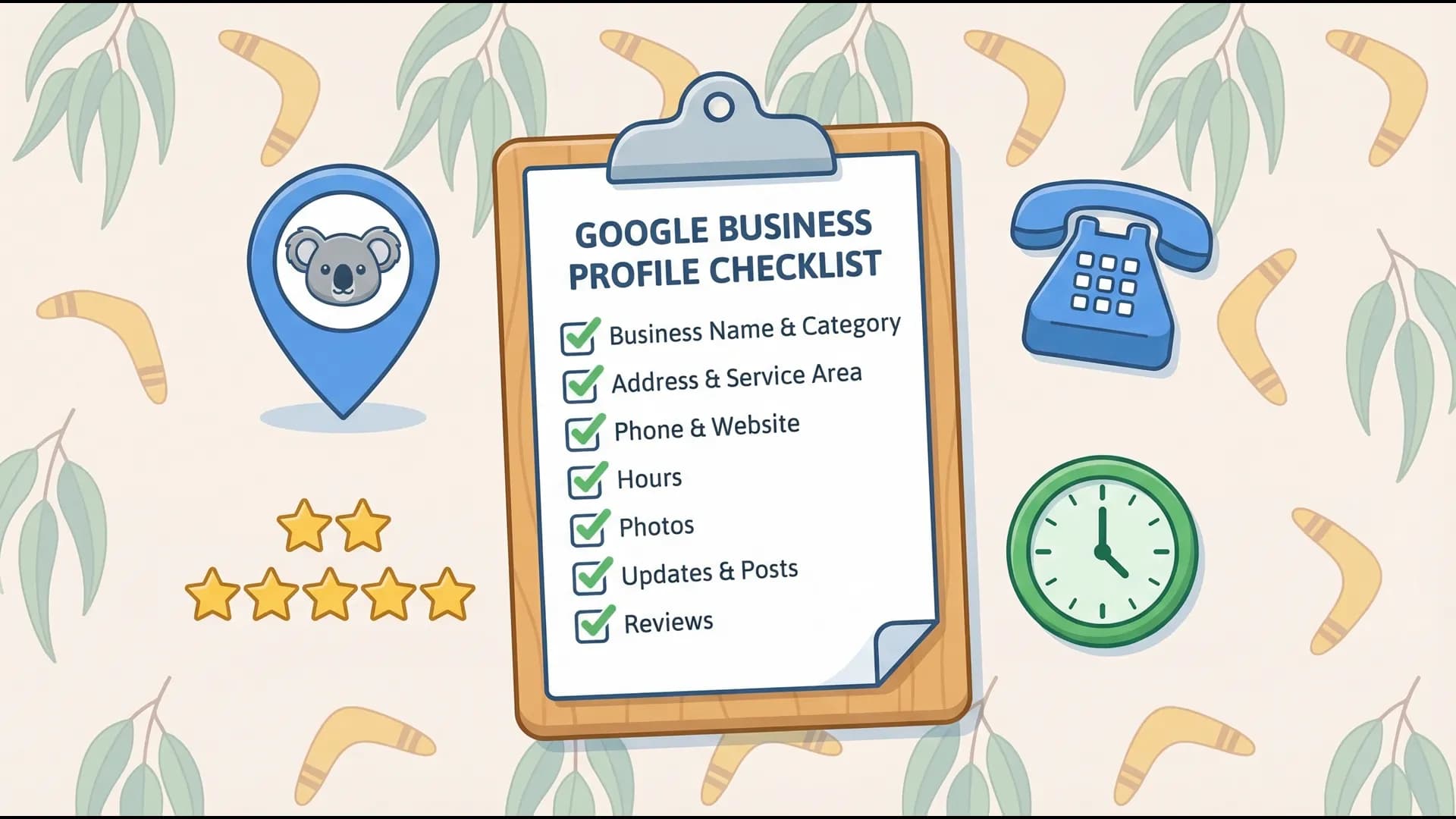
The 10-Point GBP Optimisation Checklist
Go through this list and tick off what you've done.
1. Your Business Name
✓ Exact match to your real-world signage. Don't be tempted to add keywords here (e.g., "Joe's Plumbing & Gas Fitting Brisbane Ipswich"). Google actively penalises keyword stuffing in the name field, and competitors can flag you for it. Keep it strictly to your legal or trading name.
2. Address & Service Area
✓ Correct physical address (if you have a shopfront). ✓ You've listed ALL the specific suburbs you service. If you're a mobile business (like a tradie), you can hide your physical address but you MUST list your service areas. Don't just select "Queensland." Break it down: Springfield, Ripley, Goodna, Booval. This helps you show up for "near me" searches in those specific spots.
3. Contact Details
✓ A local number (07), not a 1300/1800 number if possible. Local numbers build more trust. ✓ Your website link is accurate. (No broken links!)
4. Hours of Operation
✓ Standard hours are accurate. ✓ Special hours for public holidays are updated. There's nothing worse than a customer driving to your shop on Easter Monday because Google said you were open, only to find the doors locked.
5. The Business Description
✓ Fully written out (you get 750 characters). ✓ Leads with your unique value. Don't just say "We are a plumber." Say "Family-owned Ipswich plumbing service specialising in emergency burst pipes and hot water system repairs, serving the community for 10 years."
Google checks your description for context. Sprinkle in your primary services naturally (e.g., roof repairs, leak detection) but write for a human to read.
6. Categories (Crucial Step)
✓ Your Primary Category is as specific as possible. Don't choose "Local Business." Choose "Electrician" or "Roofing Contractor." ✓ You've added Secondary Categories. If you're an Electrician, add "Solar Panel Installer," "Security System Installer," etc. This dramatically widens the searches you can appear for.
7. Photos & Visuals
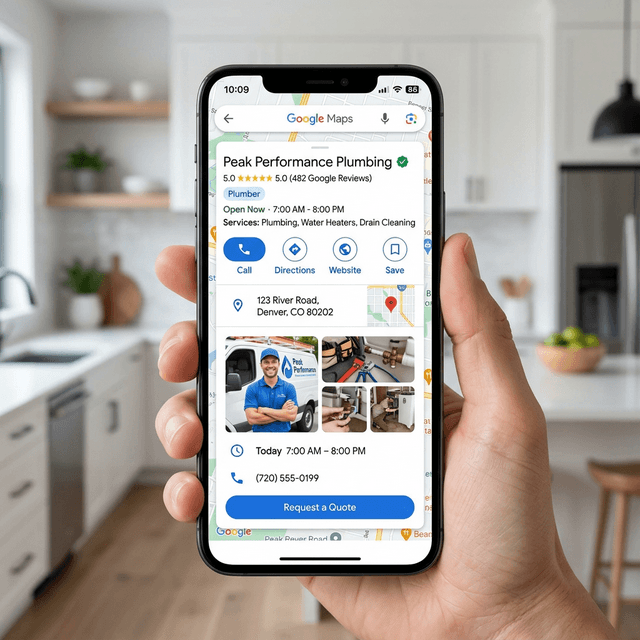
✓ Clear Logo and Cover Photo. ✓ At least 3-5 high-quality photos. Upload photos of your team, your vehicles, the inside of your shop, and your completed work. People want to see who they are hiring.
Businesses with photos get 42% more requests for directions and 35% more clicks to their website than those without. Don't use stock photos. Use real, authentic photos taken on your phone.
8. Products & Services Tab
✓ You've listed your top 3-5 services with descriptions. Did you know you can add prices and descriptions to your services right in Google? This answers customer questions before they even click to your website.
9. Google Updates (Posts)
✓ You post at least once a month. Use the "Updates" feature like a mini-social media feed. Post about a recent job you finished, a new team member, or a seasonal promotion. Include a link back to your website.
10. Reviews & Reputation
✓ You have a system to ask for reviews. ✓ You reply to EVERY single review (good and bad). When you reply to reviews, it signals to Google that you are an active, engaged business owner. It also shows prospects that you care about customer service.
If you are also reviewing what kind of website should sit behind your GBP traffic, start with our plumber website pricing page, our dentist website pricing page, or the side-by-side guide for managed websites vs DIY vs cheap agencies.
Next Steps: Pick just one thing from the checklist above to fix today. The biggest instant return? Go to the "Info" tab and make sure your Primary and Secondary Categories are completely filled out and accurate. It takes 30 seconds and can instantly trigger your profile to show up in new searches.
Helpful next steps
Keep the momentum going
If this post helped, these are the most useful places to go next.

Tunoa Johnson
